Pixelcraft Pumpkin: Your Go-To Autumn Font
When the leaves start to turn and the air gets that familiar crisp edge, the design world shifts its palette. We move away from the bright neons of summer toward the warm, earthy tones of the season. For designers, content creators, and small business owners, this transition requires specific design assets that capture the spirit of autumn without looking generic. Enter Pixelcraft Pumpkin, a typeface that bridges the gap between nostalgic gaming aesthetics and modern seasonal trends. It isn’t just a font; it’s a mood setter, specifically engineered to bring a cozy, pixel-art vibe to your headers, merchandise, and digital displays.
The Retro-Chic Appeal of Pixel Typography
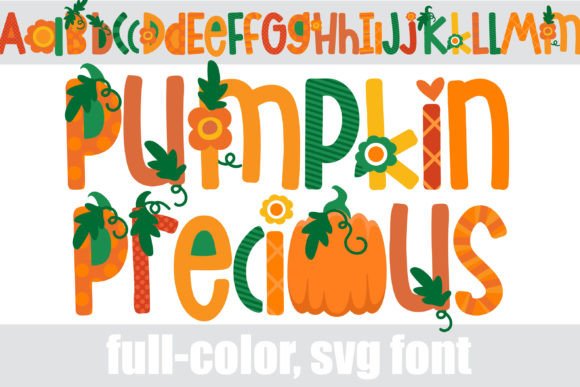
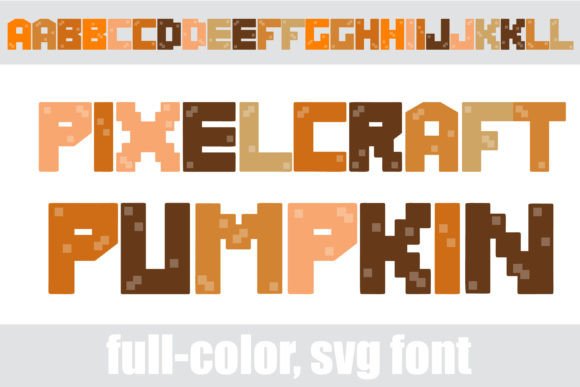
Pixelcraft Pumpkin is a distinct display font that immediately commands attention. As a premium font, it steps away from the traditional curves of a standard serif font or the clean lines of a sans serif font. Instead, it utilizes a grid-based structure that evokes the golden age of 8-bit video games. The visual style is characterized by sharp edges and blocky silhouettes, yet the "Pumpkin" aspect softens this technical rigidity with a palette of warm oranges, deep browns, and harvest golds.
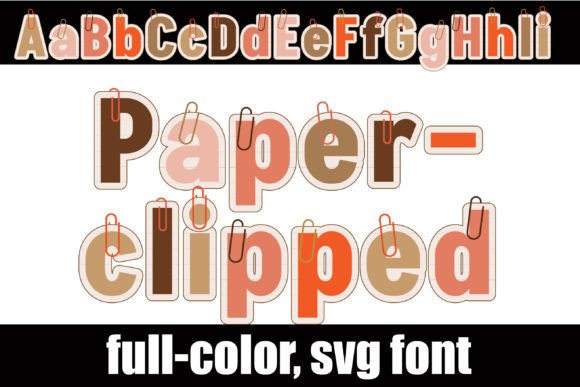
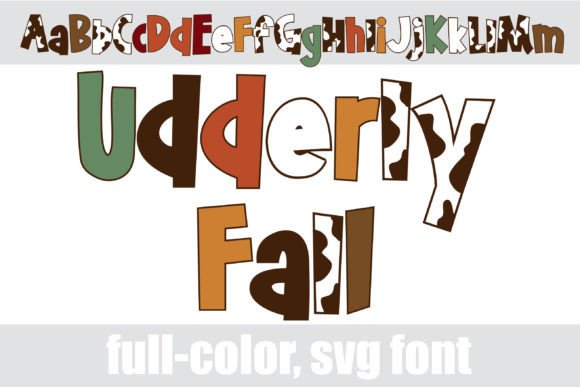
Because this is a full-color SVG font, the color is baked directly into the font file. This means you don’t need to manually apply gradients or textures to get that rich, autumn look right out of the box. The personality of Pixelcraft Pumpkin is playful yet structured. It strikes a balance that works for both whimsical Halloween party invitations and more serious branding for a retro-themed gaming channel. It is a creative font that understands its role: it is meant to be seen, not read in long paragraphs. It functions as a visual anchor, setting the tone for the rest of your modern typography choices.
Strategic Applications for Your Brand
Understanding where to deploy a display font like Pixelcraft Pumpkin is crucial for maintaining visual hierarchy. This typeface shines brightest when used for titles, headlines, and short bursts of text. If you are working on packaging design for a seasonal coffee blend or a fall-themed candle, using this font for the product name can instantly communicate a cozy, artisanal vibe.
For those involved in logo design or brand identity work, Pixelcraft Pumpkin offers a unique opportunity for niche branding. It is an excellent choice for:
- Seasonal Marketing: Use it for social media headers, Instagram Stories, and email newsletter banners to signal the start of a sale or event.
- Editorial Design: In magazines or blogs, a bold, colorful header draws the reader's eye down the page, improving engagement and flow.
- Web Design: While you wouldn't use it for body text, it serves perfectly as a hero image overlay or a stylized button label for a limited-time offer.
- Merchandise: T-shirt designers and crafters using platforms like Silhouette Studio will find this font particularly useful for creating decals, tote bags, and apparel that capture the harvest spirit.
The key to font pairing here is contrast. Because Pixelcraft Pumpkin is high-impact and textured, it pairs best with clean, minimalist typography. Try combining it with a geometric sans serif font for body copy. The simplicity of the sans serif will allow the pixel art style of the headline to pop without clashing, ensuring your message remains legible and professional.
Technical Mastery: Working with SVG Fonts
One of the standout features of Pixelcraft Pumpkin is its format. As an OpenType full-color (SVG) font, it represents the cutting edge of modern typography. However, working with color fonts requires a bit of technical awareness to ensure your workflow remains smooth. It is vital to understand that while the installation process is standard—dragging the .otf file into FontBook on Mac or your Control Panel on Windows—the rendering process depends entirely on your software.
Pixelcraft Pumpkin is fully compatible with industry standards like Adobe Illustrator, Photoshop, Silhouette Studio, and Quark. However, if you open the font in a program that does not support SVG color fonts, you will see the text render in solid black. This is a standard fallback behavior, not an error. To test compatibility, simply type a word and check the screen; if it appears in full color, you are good to go.
This distinction is particularly important for web design and digital publishing. When using Pixelcraft Pumpkin, you are adding a high-fidelity asset to your project. The "alt case" mentioned in the font's features is also a hidden gem for designers. By accessing your system's character map, you can unlock additional color variations and styles within the same font family. This allows for greater creative flexibility, enabling you to tweak the visual weight or hue of specific letters to match your specific color scheme without needing a completely different font file.
Elevating Audience Engagement
In a crowded digital landscape, standard black-and-white text often gets scrolled past. Pixelcraft Pumpkin offers a solution to this fatigue. By utilizing a creative font that incorporates color directly into the glyph, you reduce the cognitive load on the viewer. They don't have to imagine what the design looks like; they see the polished, final result immediately.
This immediacy boosts audience engagement. Whether you are a hobbyist making Halloween party invites or a small business owner launching a Q4 marketing campaign, the distinct look of this typeface helps build brand recognition. It signals that your brand pays attention to details and isn't afraid to embrace seasonal trends. When used consistently across your autumn campaigns, Pixelcraft Pumpkin can become a recognizable element of your visual identity, helping to build a cohesive and professional presence that resonates with your audience.